Scale-in your workload with Vertical Pod Autoscaler
Introduction
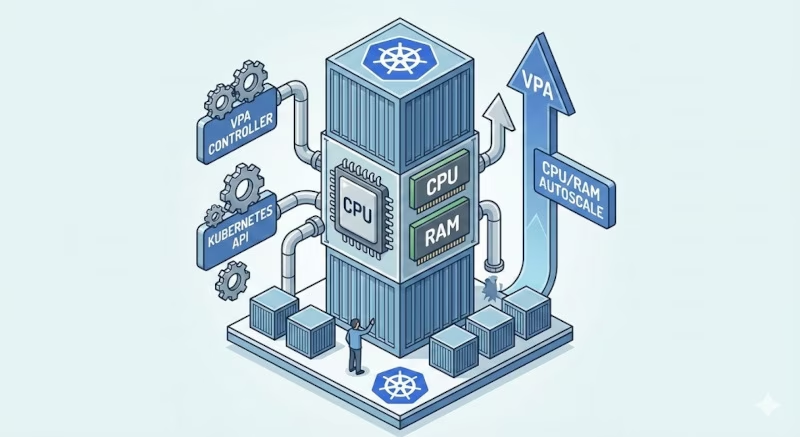
The Vertical Pod Autoscaler (VPA) frees you from the need to manually set up CPU and memory requests and limits for your containers. It automatically adjusts these values based on historical usage analysis to "right-size" your pods.
Unlike the Horizontal Pod Autoscaler (HPA), which scales out by adding more pod replicas, VPA scales up/down by allocating more or less resources to existing pods. It helps you to optimize resources usage, reduce costs, and help to absorb spikes in traffic.
Warning
You should generally not use VPA and HPA on the same resource (CPU/Memory) for the same workload, as they will conflict. If you need both, use HPA on custom metrics (like QPS) and VPA on CPU/Memory, or use a Multidimensional Pod Autoscaling, reserved for GKE.
How it works
VPA consists of three main components:
- Recommender: Monitors resource utilization and events (like OOM kills) to calculate recommended values.
- Updater: Checks if a pod's current resources deviate significantly from recommendations and decides if it should be updated.
- Admission Controller: A webhook that intercepts pod creation requests to apply the recommended resources to new pods.
graph TD
    subgraph Control Plane
    M[Metrics Server or Prometheus] -->|Usage Data| R[Recommender]
    R -->|Calculates & Stores| VPA_Obj[VPA Object]
    end

    subgraph Nodes
    P[Pod]
    end

    VPA_Obj -->|Reads Recommendation| U[Updater]
    U -->|Evicts if needed| P

    AC[Admission Controller] -->|Intercepts Creation| P_New[New Pod]
    VPA_Obj -.->|Applies Recommendations| AC
    AC -->|Mutates| P_New
Installation
VPA is not part of the standard Kubernetes control plane and needs to be installed separately. We can install it using a Helm chart:
Customization
Here is a values.yaml file to customize the installation:
Note
This is a minimal configuration. You may adjust the values based on your needs, and add more replicas for high availability.
By default, the VPA will use metrics-server to collect resource usage data and define recommendations.
Tip
If you want better recommendations based on more historical data, you can enable the Prometheus support by specifying the prometheus-address and storage: "prometheus" in the recommender extra args.
Configuration
Let's look at a standard VPA configuration targeting a Deployment.
Then wait a few seconds, and describe the VPA, you'll see in the coming minutes the recommendations. Example:
Update Modes
The updateMode controls how VPA applies changes to your pods.
| Mode | Description |
|---|---|
Off | VPA only generates recommendations but does not apply them. Perfect for observing what VPA would do without touching production traffic. |
Initial | VPA applies resources only when a pod is created. It will not change resources of running pods. |
Recreate | VPA evicts pods that need updating, forcing the controller (e.g., Deployment) to recreate them with new resources. |
Auto | Currently an alias for Recreate. |
InPlaceOrRecreate | Tries to update resources without restarting the pod. If not possible, it falls back to evicting/recreating the pod. |
In-Place Pod Resizing
Traditionally, changing a Pod's resources required a restart. However, with the InPlacePodVerticalScaling feature, Kubernetes can resize pods without restarting the containers.
When using updateMode: "InPlaceOrRecreate", VPA leverages this capability.
We can control the restart behavior using the resizePolicy in your Pod spec (inside a Deployment, StatefulSet, etc.):
Tip
Why restart? Some applications, like Java (JVM) or Node.js, read memory settings (e.g., -Xmx) only at startup. Changing the cgroup memory limit on the fly won't automatically resize the heap, so a restart is safer to ensure the app picks up the new limit.
Workflow: From Observation to Update
sequenceDiagram
    participant Dev as Developer
    participant K8s as Kubernetes
    participant VPA as VPA Recommender

    Dev->>K8s: 1. Deploy VPA (Mode: Off)
    loop Data Collection
        K8s->>VPA: Pod Usage Metrics
        VPA->>VPA: Calculate Recommendations
    end

    Dev->>VPA: 2. Check Recommendations
    VPA-->>Dev: Suggest: 500m CPU, 1Gi Mem

    Dev->>K8s: 3. Apply Update (Mode: Auto)
K8s->>K8s: Recreate Pods with New Resources- Deploy in
OffMode: Create the VPA object withupdateMode: "Off". - Wait: Let the application run under realistic load for at least 24 hours (or a full traffic cycle).
-
Inspect Recommendations:
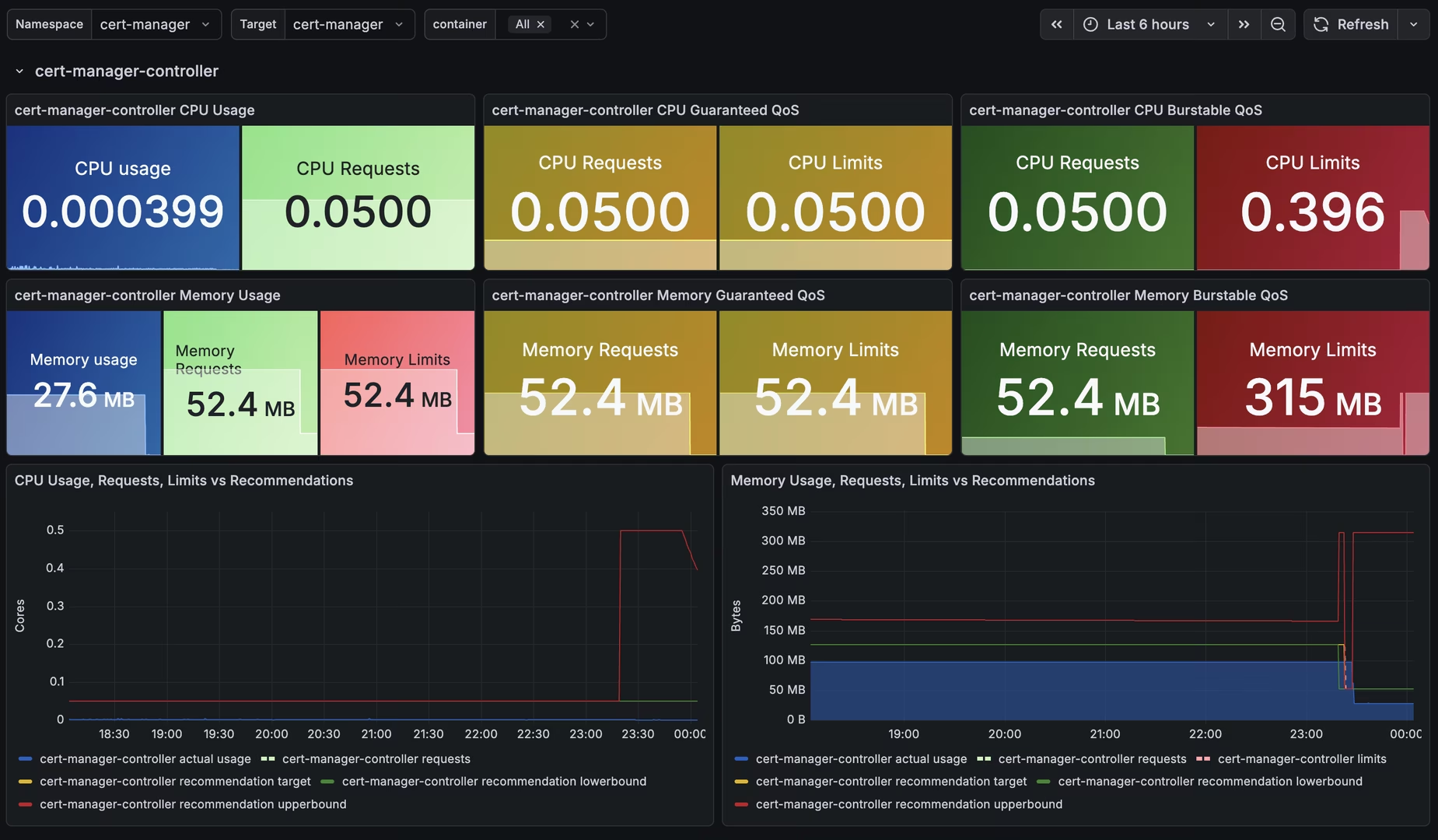
Look for theRecommendationsection:- Target: The ideal value.
- Lower Bound: The minimum value VPA is confident in.
- Upper Bound: The maximum value VPA is confident in.
You can also use Prometheus/Grafana to visualize the recommendations and make informed decisions:
 4. Apply: * Manually update your Deployment manifests with the
 Targetvalues. * OR changeupdateModetoRecreate/InPlaceOrRecreateto let VPA handle it.
Best Practices
- PDBs: Ensure you have Pod Disruption Budgets configured. VPA respects them, so it won't evict too many pods at once during updates.
- OOM Handling: VPA reacts to OOM events. If a pod gets OOMKilled, VPA will increase the memory recommendation to prevent it from happening again.
- Golden Metrics: Use VPA recommendations as a guide to set baseline requests/limits in your GitOps manifests, even if you don't use auto-updates.