How to install and configure a monitoring machine for supervision
Operating System
Debian 7
Introduction
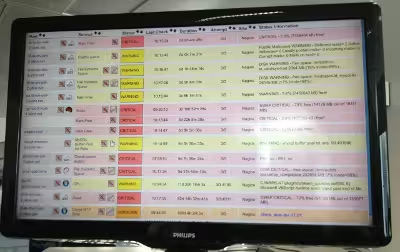
The goal of this documentation is how to quickly setup a monitoring machine on Nagios/Shinken:
The idea is to have a machine that nobody never touch once installed. It's always boring to plug a keyboard and a mouse when somethings goes wrong on this kind of machine. That's why we'll see how to setup a minimal installation with all requirements to satisfy those needs.
Installation
Install a Debian wheezy with a SSH server and additional utilities but without any X server or Window Manager and create an 'monitoring' user. Once done, connect with SSH on the machine install install those packages:
We're installing iceweasel to get all dependencies of Firefox satisfied, but as we don't want any Iceweasel update break our configuration, we're going to install firefox:
# NOTE: if your system does not have bash you need# to adjust the command according to your preferred shell,# i.e. for freebsd use:login_cmdexec/bin/sh-~/.xinitrc%session
##login_cmd exec /bin/bash -login /etc/X11/Xsession %session[...]sessionsawesome
[...]# default user, leave blank or remove this line# for avoid pre-loading the username.default_usermonitoring
[...]# Automatically login the default user (without entering# the password. Set to "yes" to enable this featureauto_loginyes
Awesome
Awesome should be configured to launch firefox in fullscreen mode automatically at startup. That's why we need to create a configuration file and then modify it. Login with monitoring user and copy the default config:
[...]layouts={awful.layout.suit.max.fullscreen,awful.layout.suit.floating,awful.layout.suit.tile,awful.layout.suit.tile.left,awful.layout.suit.tile.bottom,awful.layout.suit.tile.top,awful.layout.suit.fair,awful.layout.suit.fair.horizontal,awful.layout.suit.spiral,awful.layout.suit.spiral.dwindle,awful.layout.suit.max,awful.layout.suit.magnifier}[...]-- Move mouse to a cornerlocalsafeCoords={x=0,y=60}localmoveMouseOnStartup=truelocalfunctionmoveMouse(x_co,y_co)mouse.coords({x=x_co,y=y_co})endifmoveMouseOnStartupthenmoveMouse(safeCoords.x,safeCoords.y)end-- Launch Firefox at startupawful.util.spawn_with_shell("firefox")
As you can see, we're moving the mouse at boot instead of hiding it with slim. It's preferable to have the possibility to use it if we really need it than changing the configuration and reboot instead.
Firefox
Launch firefox and install a fullscreen extension to autohide everything. You also need to change the "about:config" to set to false this parameter:
As I'm a green IT, I don't want the monitoring machine to be up & running 24/24h 7/7j. That's why in the BIOS, I've set it up to start automatically at the wished hour. And I added this in the root crontab to autoswitch off correctly Firefox (using wmctrl is necessary are there is a bug on Firefox with SIGINT for more than 10 years):